An office has two jobs at once: work well every day for the people in it, and tell visitors who the company is in the first ten seconds. Getting both right on paper is hard. With office interior design in 3D, you can walk through the reception, the open desks and the meeting rooms before the build-out starts, and change what doesn’t work while it’s still cheap.
I’ve worked on offices from New York and Washington State to Switzerland, Kuwait and Hong Kong. These are the things I look at first.
Zones before furniture
Start by dividing the floor by what people actually do:
- Focus work. Desks away from the busiest paths, with good daylight and something to absorb sound.
- Collaboration. Meeting rooms in a few sizes, plus informal spots near a cafe or kitchen.
- Calls and quiet. Phone booths or small rooms, so video calls don’t take over the open floor.
- Arrival. Reception and waiting, which carry most of the brand.
Color is a simple way to make those zones readable. In an office in Switzerland, a red wall at one end and a teal-blue wall at the other told people where they were at a glance, with the carpet shifting between them.
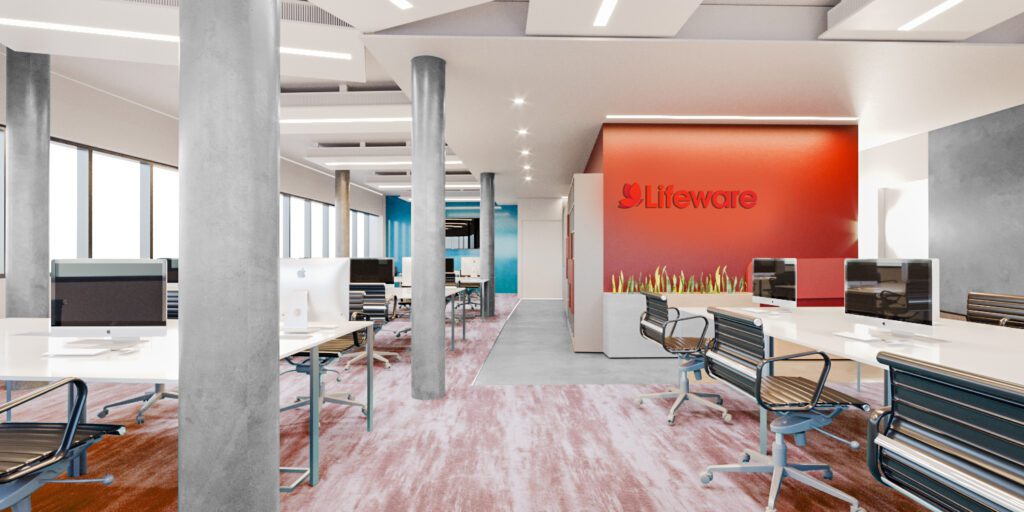
Reception: the first ten seconds
Visitors judge a company by its reception before they meet anyone. A render lets you test the logo wall, the desk, the lighting and the waiting area as one set, from the exact spot where people step out of the elevator.
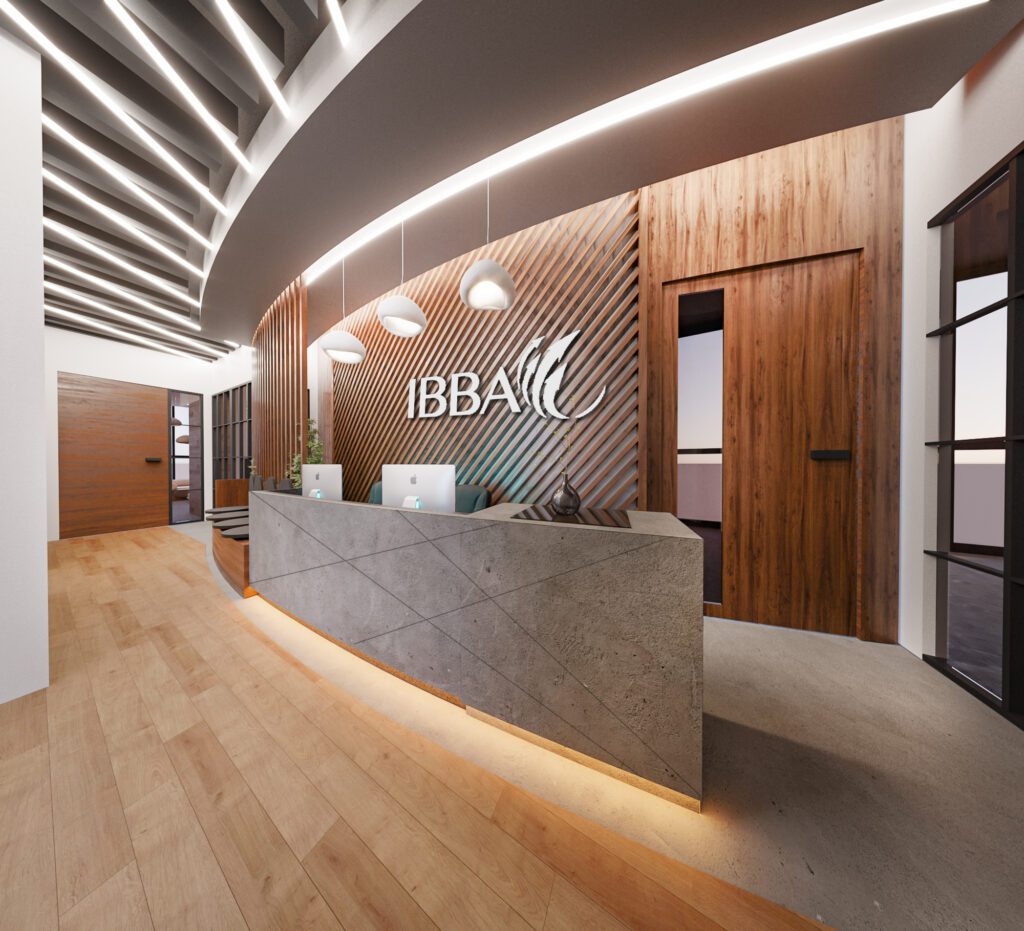
Light, sound and materials
- Daylight first. Keep desks near the windows and put meeting rooms and storage deeper in the plan where you can.
- Even, glare-free light. Offices usually use slightly cooler light than homes, around 3500K to 4000K, with fixtures that don’t glare on screens.
- Acoustics. Carpet, felt panels, wood slats and plants soften an open floor, and in a render they’re part of the look.
- Warm materials. Wood walls and ceilings make an office feel less corporate.

Common office layout mistakes
- Meeting rooms on the windows. They sit empty most of the day while the desks are left in the dark middle of the floor.
- Too few small rooms. Most meetings are two to four people, so one big boardroom and nothing else leaves people taking calls in the corridor.
- Desks on the main path. Anyone sitting where everyone walks past gets interrupted all day.
- Nowhere to drop in. Visitors and hybrid staff need a few unassigned spots that don’t feel like leftovers.
Getting buy-in from the team, leadership and the landlord
An office change affects everyone who works there. Renders help leadership approve the budget, give staff a preview so the move feels like an upgrade rather than a disruption, and show the landlord or building management what the fit-out will look like. For larger spaces, a short walkthrough animation or a 360° tour lets people explore their future desk on their own.

What to send for an office rendering
Send the floor plan, your headcount and how many people are in on a typical day, the rooms you need, your logo or brand guide, and a few offices you like. Most projects start the next day, and the 3D rendering brief post has the full checklist.
Questions about office interior design in 3D
Can you work from the building’s floor plan?
Yes. The landlord’s plan with columns, windows and cores is the right starting point. Add your headcount, the rooms you need and a few references.
How much does an office rendering project cost?
Still renders are usually $250 to $350 each, and most offices need four to six views. Animations and 360° tours are quoted per project. Every estimate is free; here’s what changes the price of a render.
Do you provide the construction drawings?
No. I don’t provide construction or permit drawings. The fit-out drawings come from a licensed architect or engineer; the renders help everyone agree on the design first.
Planning a new office or a refresh? Get in touch with your floor plan and headcount for a free estimate, and see the services page for what each project includes.