A floor plan asks people to imagine almost everything: the light, the finishes, the view from the sofa to the kitchen. Still renders, walkthrough animations and 360 virtual tour presentations all fill that gap. However, each one fills it differently, and the wrong pick means paying for images that don’t do the job you need.
I make all three from the same 3D model, so the question is never which one is better. It’s which one fits your goal: a design decision, a listing, a sales launch or a client presentation. Here’s what each format does best, where each one falls short, and how to combine them.
Stills, animations and 360 tours: what each one is
All three start the same way, with a 3D model built to real dimensions, real materials and real lighting. The difference is how the viewer sees it.
- Still renders. One finished, photoreal image from one camera position. I choose the angle, the lens and the light, so every image is composed like a photograph.
- Walkthrough animations. A short film that moves through the space along a set camera path. The viewer watches, but doesn’t steer.
- 360 tours. A full spherical image from a fixed point, so the viewer can look in every direction: up at the ceiling, down at the floor, back toward the door. It opens in a browser, on a phone or in a VR headset, and the viewer decides where to look.
Drag to look around: a 360 render of an open-plan home from one of my projects.
Because they share one model, you’re never locked in. A project can start with stills and add a tour or an animation later, without building anything twice.
When still renders are enough
For most design decisions, stills are the right tool. They’re the quickest format to produce and the easiest to compare, and they work everywhere: email, print, a listing or a presentation board.
Stills are usually the better choice when:
- You’re comparing options. Two cabinet colors or two layouts read best side by side, in the same frame and the same light.
- The images go to print or a listing. A brochure, a sales board or a listing needs one strong frame, not an interactive viewer.
- One view tells the story. A kitchen seen from the island, or a living room seen from the entry, often answers the real question on its own.
- You want control over what’s seen. A still shows exactly the composition you approve, and nothing more.
The honest limit: a still only shows what’s in the frame. The viewer can’t turn around, so even three good stills of a room can leave people guessing about the fourth wall.
Stills are also the easiest format to budget. Renders usually cost $250 to $350 each, and I explain what moves that number in what 3D rendering costs.
When a 360 virtual tour wins
A tour wins when people need to understand the whole space, not one view of it. Instead of trusting my camera angle, the viewer stands in the room and looks around on their own. As a result, it answers the one question a still can’t: what’s behind me?
That makes a tour especially useful for:
- Spaces that aren’t built yet. Buyers of an apartment that only exists on paper can stand in its living room on their phone and check the view to the kitchen.
- Clients who can’t visit. Someone in another state or another country can look around a design without a site visit.
- Open-plan rooms. When the kitchen, dining and living areas share one room, a tour shows how they connect better than several separate stills.
- Headset presentations. In a VR headset, ceiling height and the size of a room are much easier to feel than on a screen.
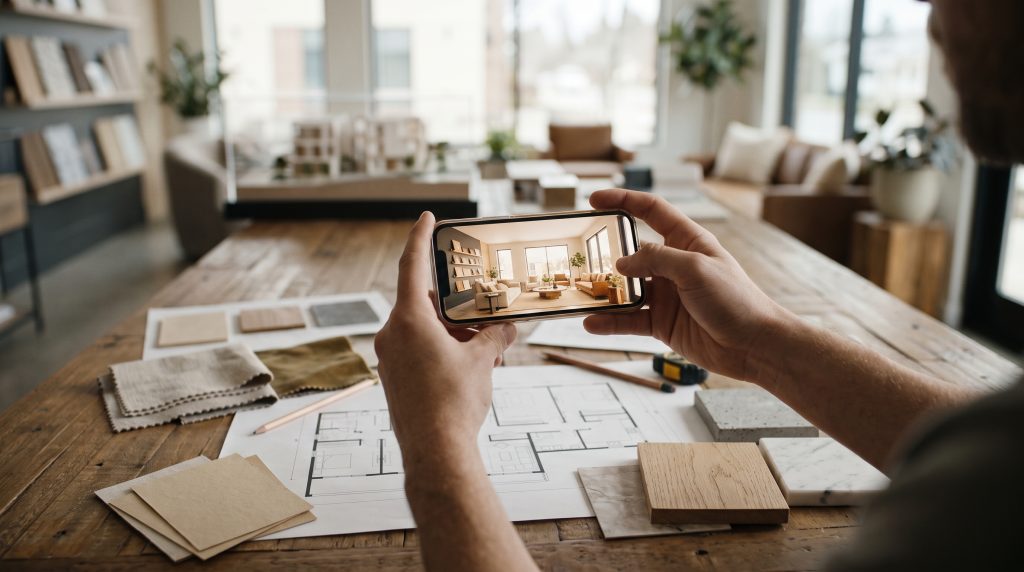
The trade-off is that a 360 view hides nothing. Every direction has to be finished, including the corners a still would crop out, so the model needs detail all the way around. Tours also show the space from fixed points: you jump between viewpoints rather than walk freely, and they don’t translate to print.
Still, for interior design presentations where the client has to judge a whole room, a 360 virtual tour is often the format that settles it. Tours are quoted per project, and there’s more about them on the VR page.
When an animation is worth it
An animation is worth it when movement is the selling point. Think of arriving at the front door, the walk from a lobby to the elevator to the unit, or the way a double-height living room opens up as you step in. Because a film controls the pace, it can tell a story in a way neither stills nor a tour can.
Animations work best for:
- Launch and marketing videos. A short film for a development’s website or social media.
- Sequences of spaces. Projects where the way one room leads to the next matters more than any single view.
- Audiences who won’t click around. A video plays on its own, while a tour asks the viewer to do the exploring.
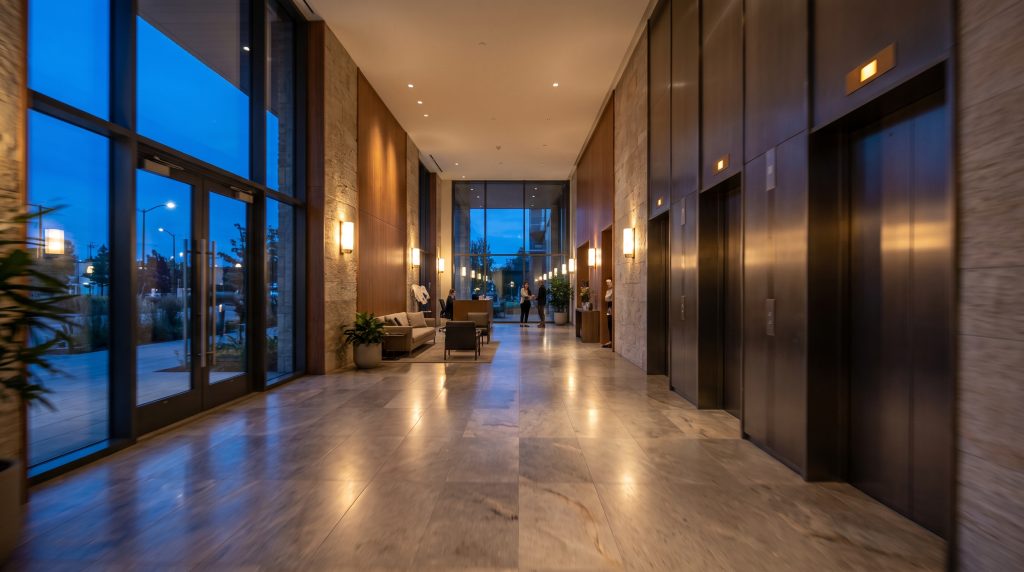
The honest limit: the viewer can’t stop and look where they want. Late changes also cost more, because one change can mean rendering many frames again. That’s why it pays to settle the design with stills first.
For walkthroughs, I use real-time tools like Unreal Engine, and for some motion work I use AI-assisted tools like Runway. Walkthrough and AI-assisted animations are quoted per project, based on the length, the camera path and the number of spaces. For a side-by-side look at all three formats, see 3D rendering vs. animation.
Combining a 360 virtual tour and stills on one interior design project
Often you don’t have to choose. Every format comes from the same model, so the formats can follow one another in a sensible order:
- Design with stills. Use a few views to settle the layout, materials and lighting while changes are still quick.
- Add a 360 tour once the design is set. Turn the approved model into a tour for buyers, remote clients or a sales office.
- Add an animation for the launch. If the project needs a film, it comes last, after the design is approved, so nothing is rendered twice.
In this order, each step builds on the last, and the bigger formats are made from a design that’s already approved. For a developer, that might mean stills for early design reviews, a tour for the sales office and a short film for the website. For a homeowner planning an interior design project, two or three stills are often enough, and a 360 virtual tour helps when relatives who live far away want to look around too.
None of these formats are construction or permit drawings, though. They’re presentation images for decisions and marketing, so anything structural still needs a licensed architect or engineer and a permit from your county. There’s more on how projects run on the services page.
A quick checklist for choosing a format
- Comparing options or printing: start with stills.
- Selling a space people can’t visit yet: add a 360 tour.
- Telling a story through a sequence of spaces: plan an animation.
- Working to a tight budget: stills are the most predictable, at $250 to $350 per image.
- Using more than one format: settle the design with stills before anything else.
If you’re weighing still renders against a 360 virtual tour for your interior design project, send me your plans and your goal, and I’ll suggest the right mix. Get in touch for a free estimate.